Read receipts for Gmail · Chrome extension

The moment they open
your email, you know.

SentSee adds read receipts to Gmail: the moment someone opens your email, the gray checkmark turns into a green double-check and a notification lands on your desktop. Who opened it, how many times, when — all on the record. Install and go: it runs anonymously, no sign-up needed.

Get started free See it in action›
Opened
SENTSEE READ RECEIPT
Number
SC-2026-1014-0842
Subject
Quote_Hesuo-Tech_v2.pdf
To
chen@hesuo.com.tw
  1. 14:02Email delivered
  2. 14:31Opened — Mr. Chen's iPhone
  3. 16:05Opened again — Taipei
  4. 23:47Late-night re-open — 3 opens total

Interface illustration. Device and location labels are examples, not detected data.

Works with every major inbox that loads images

Gmail· Outlook· Apple Mail· Spark· Superhuman
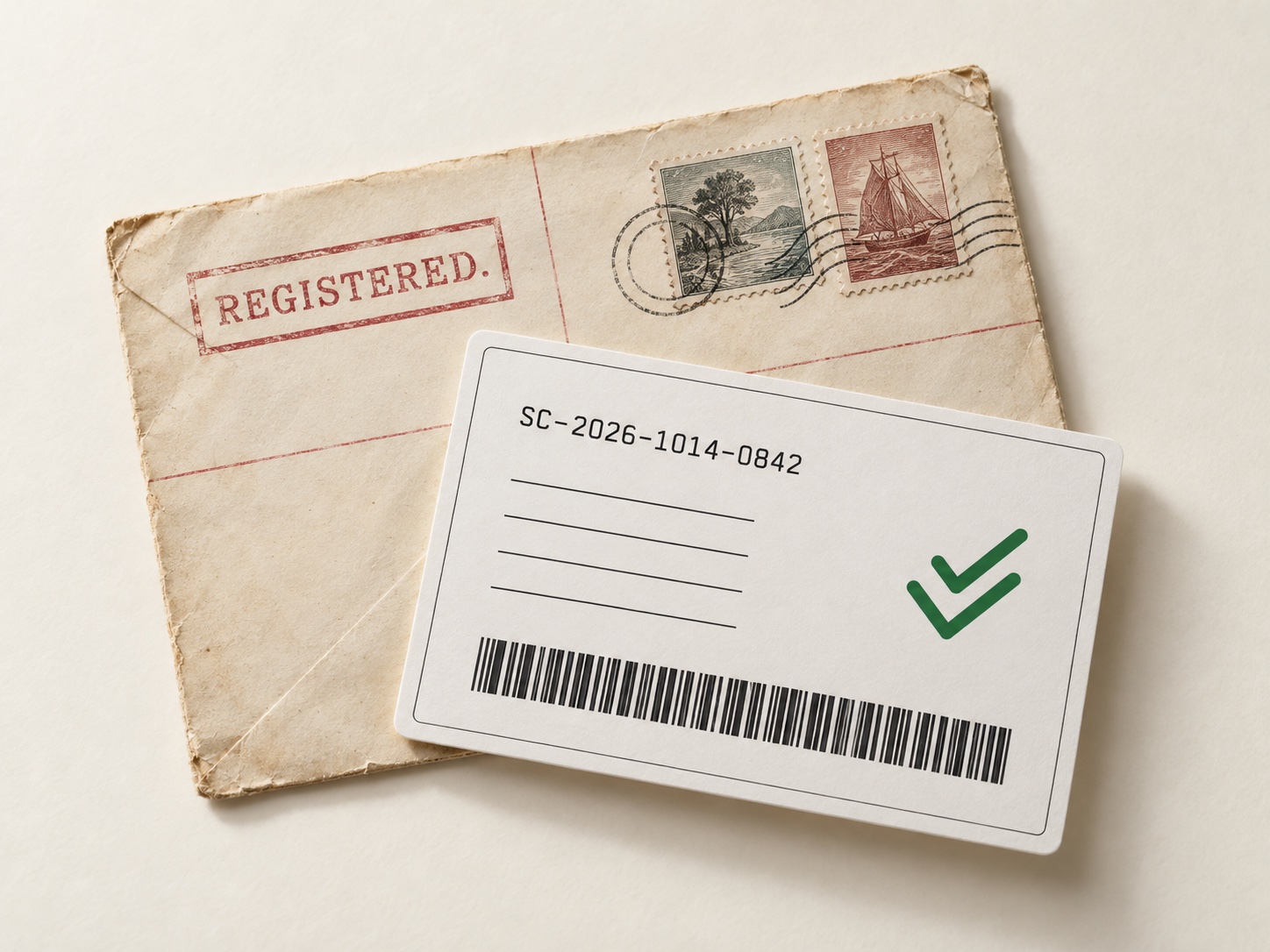
Concept image: an early-1900s registered letter envelope beside a modern read-receipt card
A century apart: the stamped paper receipt and the instant green double-check.
The post office has done this for a century

Registered mail always came
with a receipt.

The moment your quote leaves your outbox, you lose contact. Did they read it? Did it land in spam? Did they open it, frown, and close it? You don't know. All you know is three days have passed and your inbox is eerily quiet.

You want to ask. You type "just checking you got my email" — then delete the whole line. You don't want to look pushy, or desperate, or like you've lost the room before the deal even starts. So you fill the silence with excuses for them, and the best moment to follow up walks right past.

SentSee puts read receipts back into Gmail: the second your email is opened, a notification lands on your desktop — who opened it, how many times, at what hour. A quote that's been quiet for three days? One glance tells you whether to nudge, or keep waiting.

The actual product

Here's Gmail after you hit send.

Status is marked right in your sent list. No tab-switching, no asking.

Opened
SENTSEE READ RECEIPT
Number
SC-2026-1014-0842
Subject
Quote_Hesuo-Tech_v2.pdf
  1. 14:02Email delivered
  2. 14:31Opened — iPhone · desktop notification sent
  3. 16:05Opened again — Taipei
  4. 23:47Late-night re-open — 3 opens total
SentSeenow
Bob Chen opened “Quote_Hesuo-Tech_v2.pdf”

Interface illustration with sample data. Device and location labels are not detected data.

Dashboard

Every email's afterlife, one table.

Sign in to sentsee.com: what's in flight, who opened, how many times, and when they last did.

Tracking overview

12Emails in flight
8Opened
31Total opens
23:47Last open
SubjectRecipientStatusLast open
Quote_Hesuo-Tech_v2.pdf chen@hesuo.com.tw Opened ×3 Today 23:47
Thank you — Product Designer hr@fountain.io Opened Today 09:12
Website redesign proposal_v1.pdf amy@studio.tw Not opened —
October meeting times team@studio.com Not opened —

Live open notifications

The moment your email is opened, a desktop notification and the toolbar badge light up. Stop watching your sent folder.

Self-open filtering

Previewing your own sent email never counts as an open — including Gmail's image-proxy rewrites. Your numbers stay honest.

Full event timeline

Delivery, first open, every re-open — timestamped to the minute, saved to your account.

Link click tracking

Links become tracked short-links, so you know which part of your email they actually cared about.

Scheduled follow-up reminders

Set a follow-up time and get a desktop reminder when it's due. Reschedule it whenever you need another reminder.

Per-recipient tracking

Per-recipient sending is not enabled yet; Gmail API authorization is still pending. Once enabled, each recipient will receive a separate email with its own tracking pixel.

Export & delete

Your tracking records are your data: export everything as CSV from the dashboard, delete any record instantly.

Privacy

We track opens.
Not your words.

We store the subject, the recipient, and when — and how many times — your email was opened. That's all. We never touch message bodies, never request Gmail content permissions, and there is no one to sell your data to.

Read the privacy policy
Message bodies Never collected
Gmail content access Never requested
Selling your data Never
Open eventsTime & count only
Use cases

When you'll want this.

Sales follow-up

Quote sent three days ago, nothing. Check the dashboard: they opened it three times on Friday afternoon, right after each revision. Whether to call — and when — is no longer a guess.

Freelance quotes

They opened your quote but never replied? Don't rewrite it yet. Never opened at all? The email probably never landed — a different channel beats a new subject line.

Job applications

Know when your resume was opened, and how often. Send the thank-you note the day after they read it — more useful than blind follow-ups, and it feels steadier too.

Newsletter writers

Same issue, two subject lines, two halves of your list. Open rates settle it within two issues, and the data lives in your account — no third-party tracker required.

Frequently asked

Honestly — is tracking email opens okay?+

It's a signal, not surveillance. SentSee records whether an email was seen; it can't read contents. For business correspondence, confirming someone received and read your email is a normal need. For marketing email, include an unsubscribe link and don't use it for anything the recipient didn't agree to.

Will recipients know the email is tracked?+

Usually not, though Gmail occasionally shows an “external images” notice. Tracking involves the recipient's personal data, so disclose it in your email or your own policy where appropriate.

Does it work if they use Outlook or a phone?+

As long as their mail client loads remote images (most do by default), yes. If images are blocked, the checkmark stays single. That's the honest limit — we don't fake numbers.

Does opening my own email count?+

No. The extension filters out your own tracking pixels, including the ones rewritten by Gmail's image proxy. On by default, no setup.

Do you read my emails? Will it stay free?+

We can't read your email. The extension tracks anonymously on your machine — no account needed. To sync records to the web dashboard, generate a pairing code in the extension settings, then sign in on the website and enter it under Settings & privacy. Codes expire after 10 minutes and can only be used once. Connecting your dashboard uses basic account info, with no Gmail content scopes. SentSee is completely free; if paid plans ever arrive we'll announce them first, and your data can be exported or deleted anytime.

Your next email gets an answer.

Install the extension and it just works — anonymous, no sign-up. Want the web dashboard? Generate a pairing code in the extension settings, sign in on the website, and enter the code under Settings & privacy. No credit card.